AI Frontline Manual Creation
Just film the work. Turn how your floor teaches into a company asset.
Shoot the task on a phone and upload it — AI handles transcription, structuring into tasks and steps, flagging critical points, and drafting the FAQ. A video-based manual creation service for teams that 'have no time to write manuals'.
ARCHITECTURE
Our vision for building a competitive foundation
Every IPLoT product and service takes a place in this shared OS of competitive strength. AI Frontline Manual Creation covers the highlighted part (Knowledge layer).
How IPLoT supports this model
The areas covered by each IPLoT product and service within the model above.
| Layer | Products & services in charge |
|---|---|
| Structured-UI layer (the window) | Brain Pro / Shiftly / System development |
| Knowledge layer (what AI is taught) | iPro Manual / AI Strategist Training / Competitive Foundation Consulting |
| Activity-DB layer (store the data) | AI Data Analysis / Yomitoru-kun / Wholesale core system |
| Agent layer (where AI acts) | IPRO-kun / Menta-kun / System development |
| Designing & applying the whole structure | IT consulting (overall design) / HRobo (all layers for HR & talent) / Competitive Foundation Consulting (full rollout) |
AI Frontline Manual Creation covers: Knowledge layer
CHALLENGE
Every classic manual problem, handled by AI.
Nobody reads them. Nobody has time to write them. Everyone teaches differently. When manuals don't work, you keep paying in training load, repeated questions and person-dependency.
№01

Text-heavy manuals nobody on the floor reads
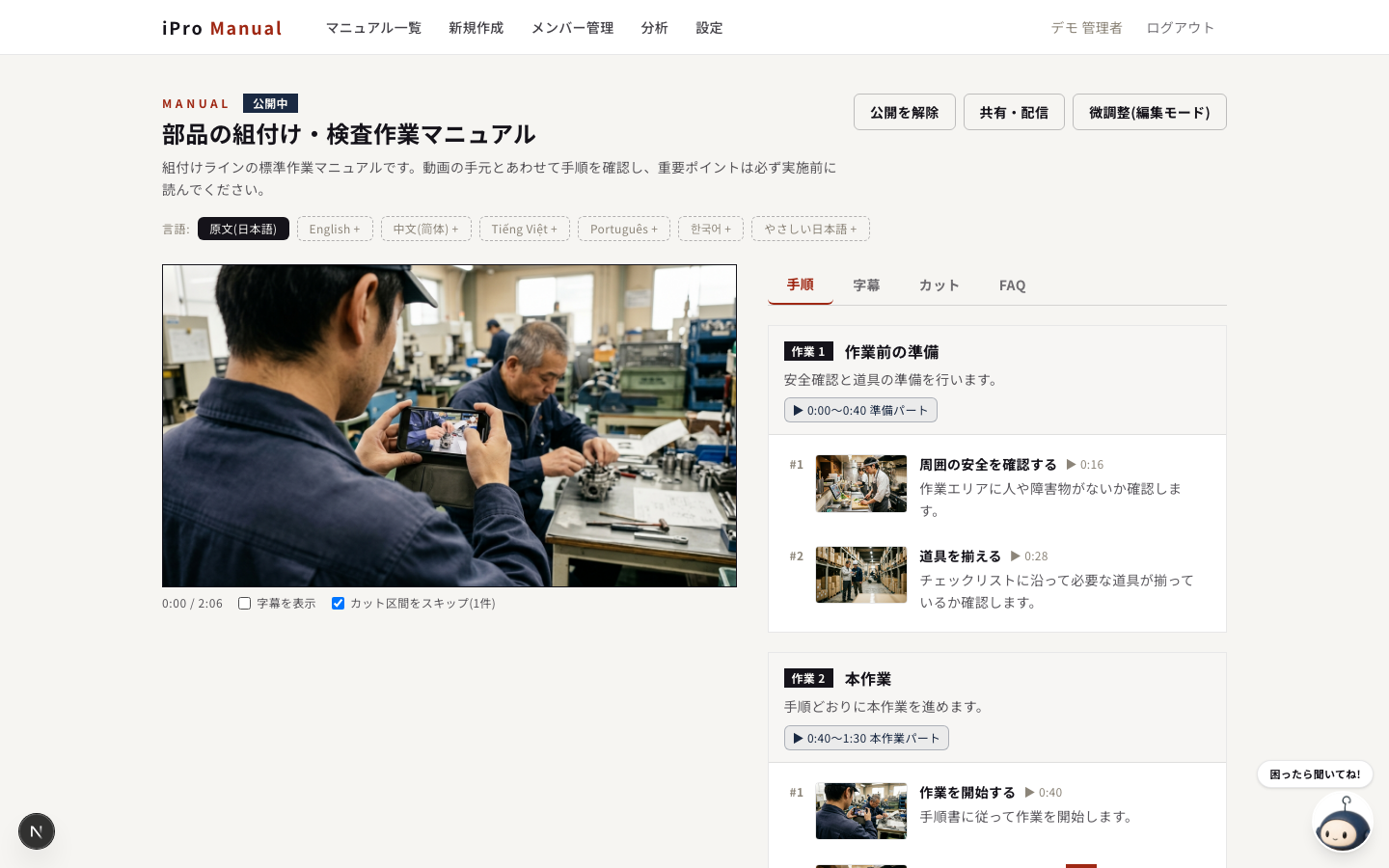
A video-synced viewer makes it 'watch and get it'. Click a step and the video jumps to that scene.
№02

Writing takes so long that updates stop
Just film and upload. Subtitles, key points and FAQ are auto-generated; fine-tuning is drag and click.
№03

Training varies by whoever teaches
Step structure plus an approval flow publishes the company standard. Task assignment tracks execution.
№04

Explaining the same things to new and international staff
One-click AI translation into 6 languages and auto-FAQs. Post a QR code and it's on every phone.
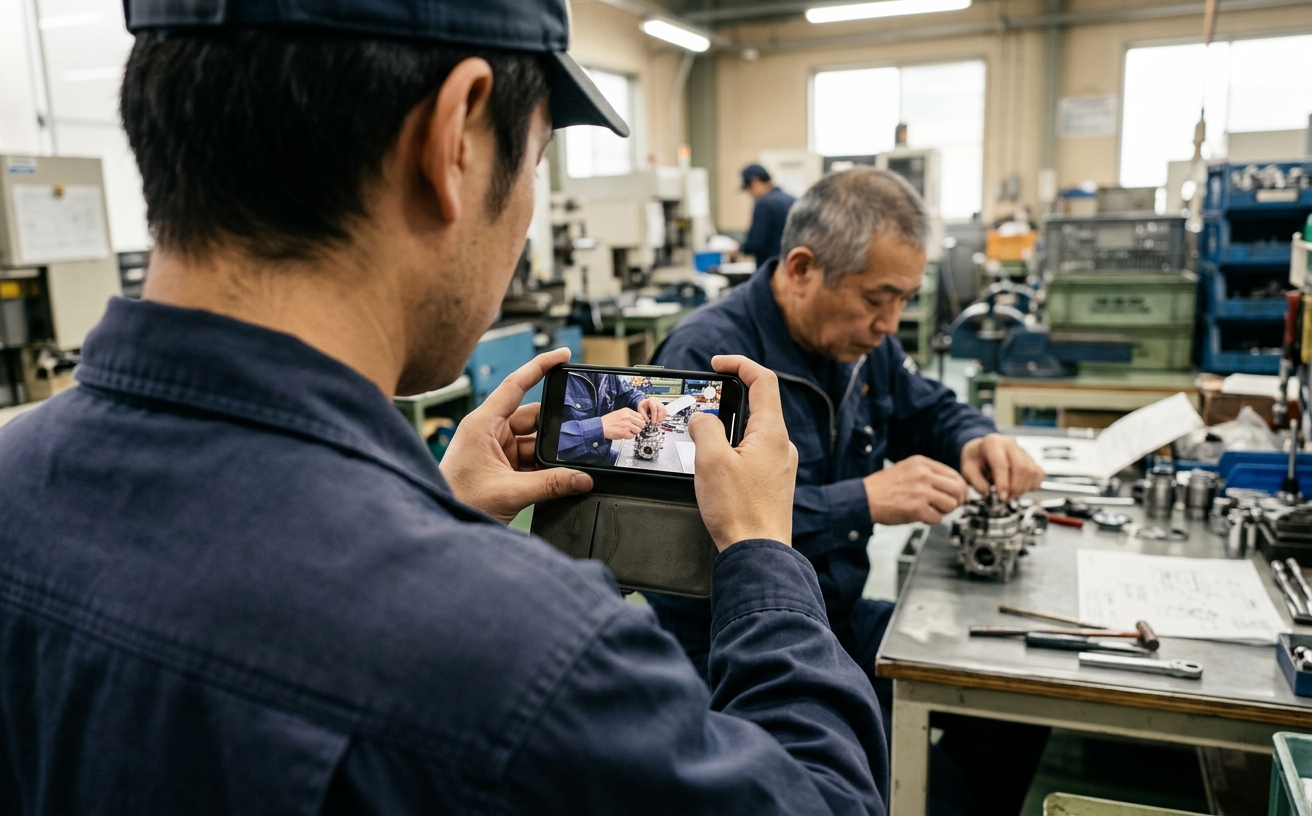
─ GENBA
HOW IT WORKS
Create, share and operate — end to end with AI.
We take the step-structured video manual approach one step further with generative AI: creation effort goes to almost zero, and the share/operate loop is designed in.
01 CREATE
Film it — the manual and FAQ write themselves
Upload a work video and AI transcribes, splits it into tasks and steps, flags critical points and drafts the FAQ. People just fine-tune with drags and clicks.

02 SHARE
One QR code puts it on every phone
A video-synced viewer, posted on the floor as a QR code. Multilingual AI translation delivers the same training quality to international staff. An approval flow publishes the company standard.

03 OPERATE
Assign it, and see it through
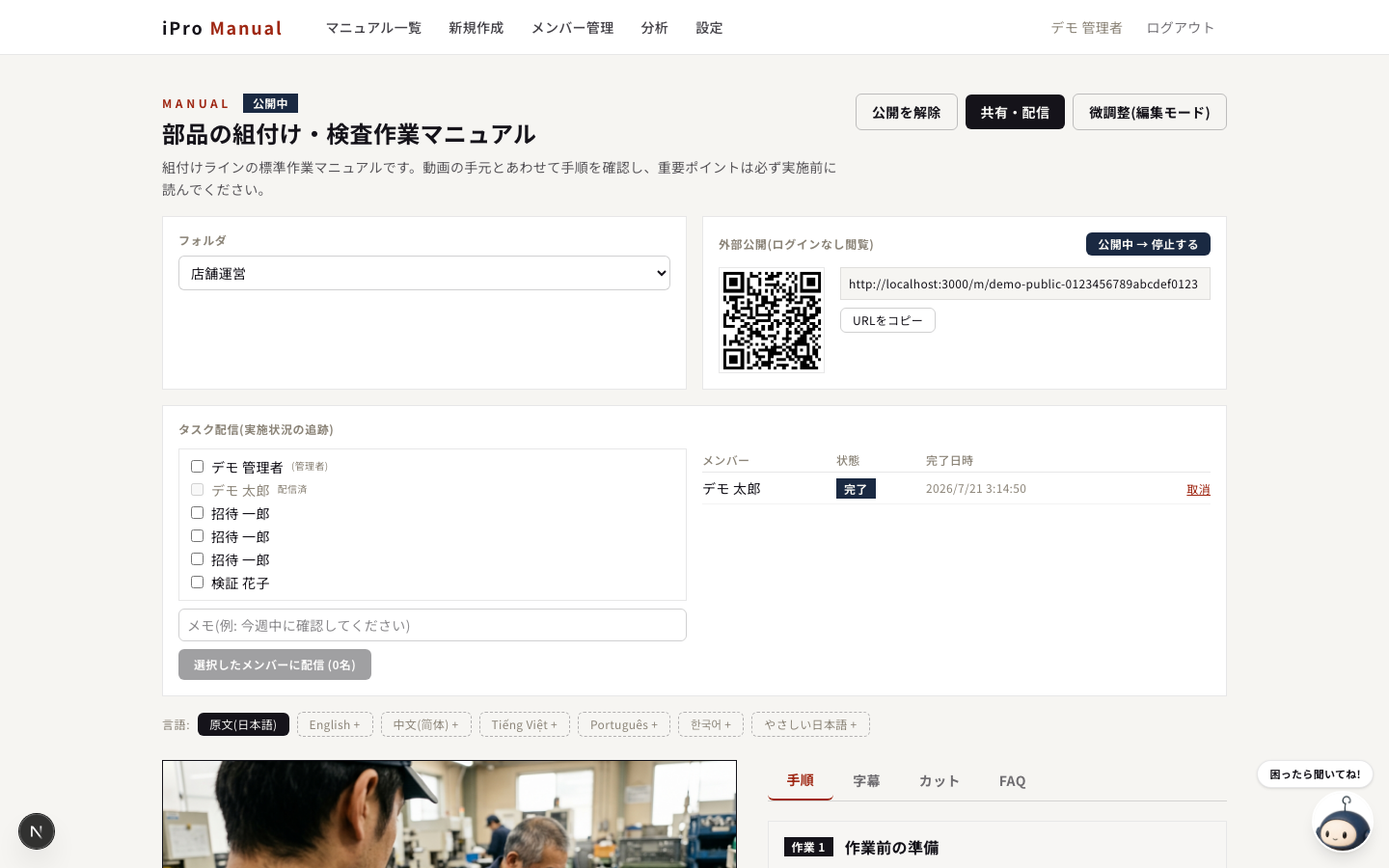
Distribute manuals as tasks and track not-started / viewed / done. View-log analytics show whether manuals are actually used.
PRODUCT
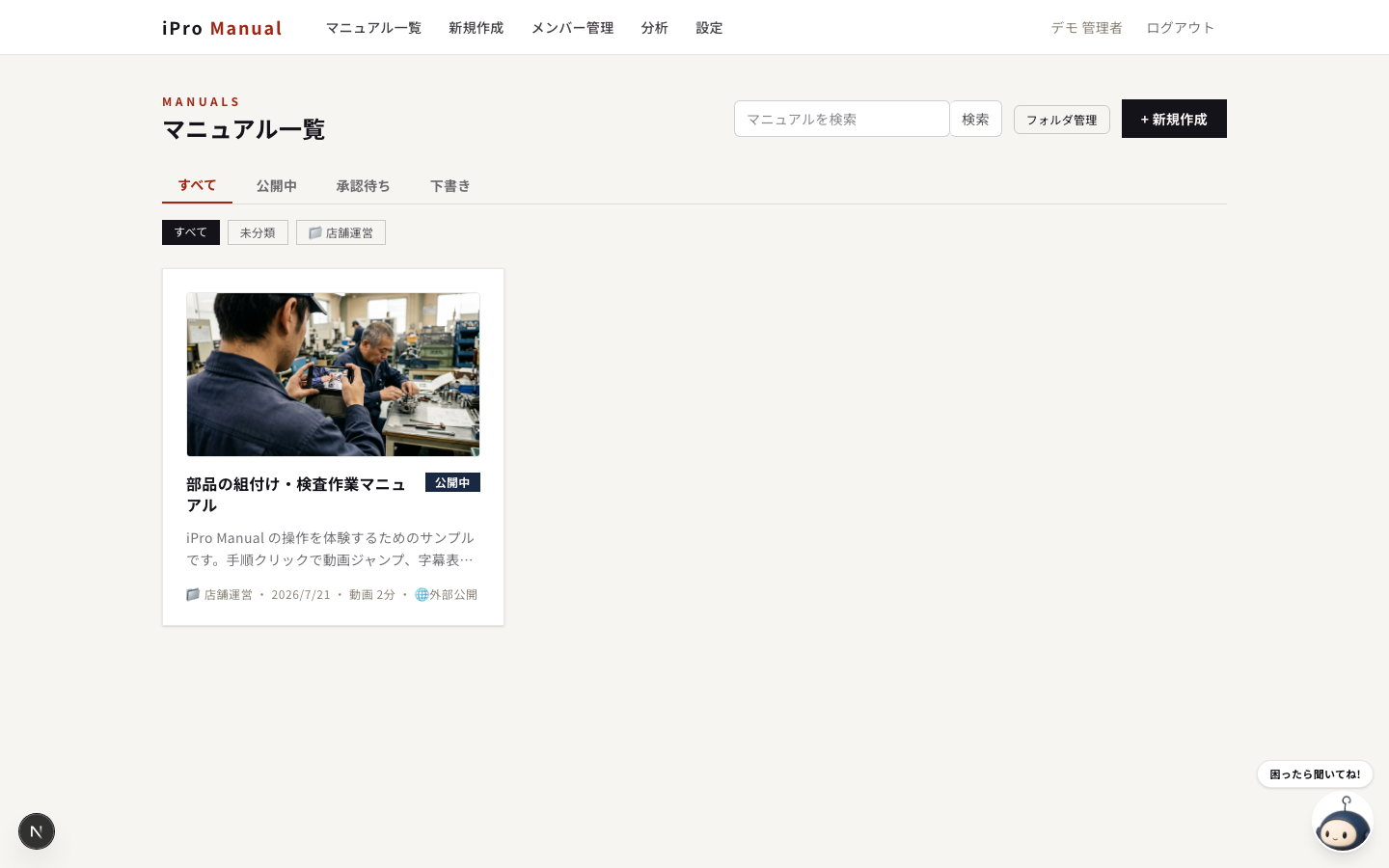
Inside the product: iPro Manual
This service combines our in-house SaaS 'iPro Manual' with hands-on rollout support. It runs in the browser — start the day your account is issued.
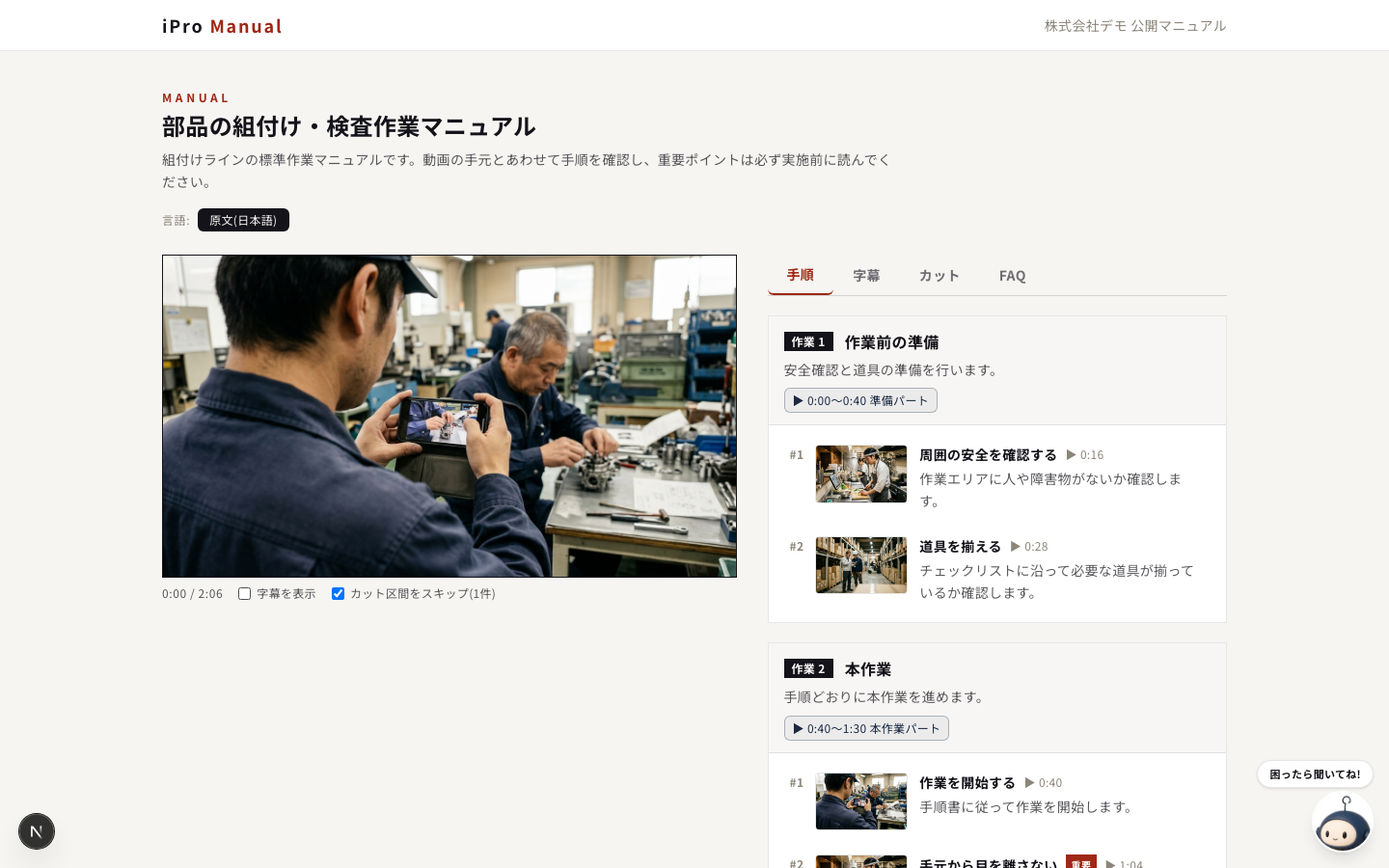
FEATURES
Key features
Click a card to see the screen and details
RESULTS
Training changes shape on the floors that adopt it.
When the effort of writing disappears, manuals turn from dormant documents into daily tools. Example outcomes at client sites:
90% less
time spent creating manuals
just film, AI-generate and fine-tune
14 days → 3
until a new hire works solo
video makes prep and review possible
1/2
repeated questions from the floor
self-served by FAQ and search
CASE STUDIES
Case studies
*Company names withheld (industry and size only)
Metal processing, Company A (approx. 80 employees)
Veteran skills, standardized on video
BEFORE
Experts' procedures were undocumented and retirement risked losing them; paper manuals went unread.
AFTER
50 key processes video-manualized. New-hire training went from 14 days to 3, with less rework in inspection.
Restaurant chain, Company B (12 locations)
Uniform training across stores and languages
BEFORE
Every store taught differently; explaining to international staff fell on a few employees.
AFTER
QR codes in kitchens plus multilingual translation. New-menu rollout went from 2 weeks to 2 days; training time halved.
Logistics, Company C (3 sites)
Person-dependent warehouse work, made visible
BEFORE
Picking, packing and inspection varied by person; seasonal helpers took long to become effective.
AFTER
Per-task video manuals assigned as tasks, tracked across sites. Helpers now work solo from day one.
INDUSTRIES
Any industry — every job with a procedure.
Beyond physical work, PC screen recordings can be turned into manuals too.


Manufacturing
assembly / inspection / setup / machinery
Food service
prep / cooking / service / hygiene
Retail
stocking / register / backroom
Logistics
picking / packing / inspection
Care & cleaning
care procedures / rounds / equipment
Office & IT
PC operations / system entry / handover
SUPPORT
Hands-on support that doesn't end at launch.
№01

Filming & structure training
We coach how to film 'videos that teach' and how to scope manuals — and build the first ten with you.
№02

Adoption reviews
Based on view logs and task completion, we periodically propose improvements to unused manuals.
№03
Knowledge Loop design
We help design how the accumulated steps, FAQs and view data feed AI utilization and process improvement.
POSITION
The first step of storing frontline knowledge in the knowledge layer.
In the OS of competitive strength IPLoT designs, frontline activity accumulates as data and know-how that compounds with use. iPro Manual is the entrance: just film the work and tacit knowledge becomes structured manuals and FAQs. The steps, FAQs and view data stored here go beyond standardizing training — they become the assets that teach AI how your genba works.
FREE DEMO
Start with a single video — try a free demo.
Ask us about a demo with your actual work videos, migrating existing manuals, or a rollout designed together with your whole Knowledge Loop.
FAQ
Frequently Asked Questions
Any task you can film with audio — assembly and inspection, restaurant prep and service, warehouse picking, back-office PC work. Phone footage works as-is, and the more the worker narrates, the better the AI extraction. Videos over 25MB are processed automatically via audio extraction and splitting.
Yes. Tasks, steps, subtitles, cut ranges and FAQs are all editable on screen. Cut ranges are adjusted by dragging the timeline; step timestamps with a 'set to current position' button. The source video is never modified.
Essentially just 'film and upload'. AI auto-generates subtitles, the manual and the FAQ; people fine-tune in the browser. We coach filming tips and manual structure during rollout.
No. It runs in the browser; scanning a QR code opens the manual on any phone. With public sharing enabled, viewing requires no login at all.
Yes. We help plan which tasks to video-ize first and redesign the structure reusing your existing manuals, starting from high-frequency onboarding tasks.
Data is isolated per company, with admin/member roles, a draft → review → publish approval flow, and invite links. Public sharing is toggled per manual by admins.
Product subscription (by users and AI generation volume) plus optional rollout support. You can start the same day an account is issued — we recommend a free demo with one of your real work videos first.