The project's "brain,"
shared by people and AI.
Business workflows (AS-IS/TO-BE), GAP, issue trees, tasks/WBS, risks, stakeholders. Manage the whole picture of an operational improvement and system rollout project asa single structured "project brain."
Because the AI assistant"IPRO-kun"reads and writes that brain directly, neither AI nor people lose the context.
ARCHITECTURE
Our vision for building a competitive foundation
Every IPLoT product and service takes a place in this shared OS of competitive strength. Brain Pro covers the highlighted part (Structured-UI layer).
How IPLoT supports this model
The areas covered by each IPLoT product and service within the model above.
| Layer | Products & services in charge |
|---|---|
| Structured-UI layer (the window) | Brain Pro / Shiftly / System development |
| Knowledge layer (what AI is taught) | iPro Manual / AI Strategist Training / Competitive Foundation Consulting |
| Activity-DB layer (store the data) | AI Data Analysis / Yomitoru-kun / Wholesale core system |
| Agent layer (where AI acts) | IPRO-kun / Menta-kun / System development |
| Designing & applying the whole structure | IT consulting (overall design) / HRobo (all layers for HR & talent) / Competitive Foundation Consulting (full rollout) |
Brain Pro covers: Structured-UI layer
Does this sound familiar?
Project information keeps scattering everywhere
Excel, slides, chat, people's heads — the further a project goes, the more the information disperses, until no one holds the full picture. And that context can't be handed off to AI either.

There's no single big picture
Business workflows live in Excel, issues in slides, tasks in another tool, and the history only in people's heads. No one can answer "what's the state of the project right now?" on a single page.

You can't hand it off to AI
Every time you consult AI, you re-explain the background, history, and decisions from scratch. When the conversation ends the context vanishes, and the AI's suggestions never accumulate anywhere.

Documents go stale fast
The WBS and issue lists made at kickoff drift away from reality without ever being updated. Because flow, GAP, issues, and tasks are scattered across separate documents, no one even has the energy to fix them.
─ WHAT IS BRAIN PRO
The whole picture,in one structure.
Brain Pro holds business workflows, GAP, issues, tasks, risks, and stakeholders not as scattered documents, but asa single body of structured data, all linked to one another. A flow's GAP connects to an issue, an issue's action to a task, a task's concern to a risk. So documents never go stale, and you can answer "what's the state right now?" on a single screen.
─ FEATURES
Six features that make up the project's "brain"
From AS-IS/TO-BE design to issue breakdown, planning, risk, and organizing people. Every screen runs on the same single body of structured data.
BUSINESS FLOW
Business workflow design (AS-IS / TO-BE)
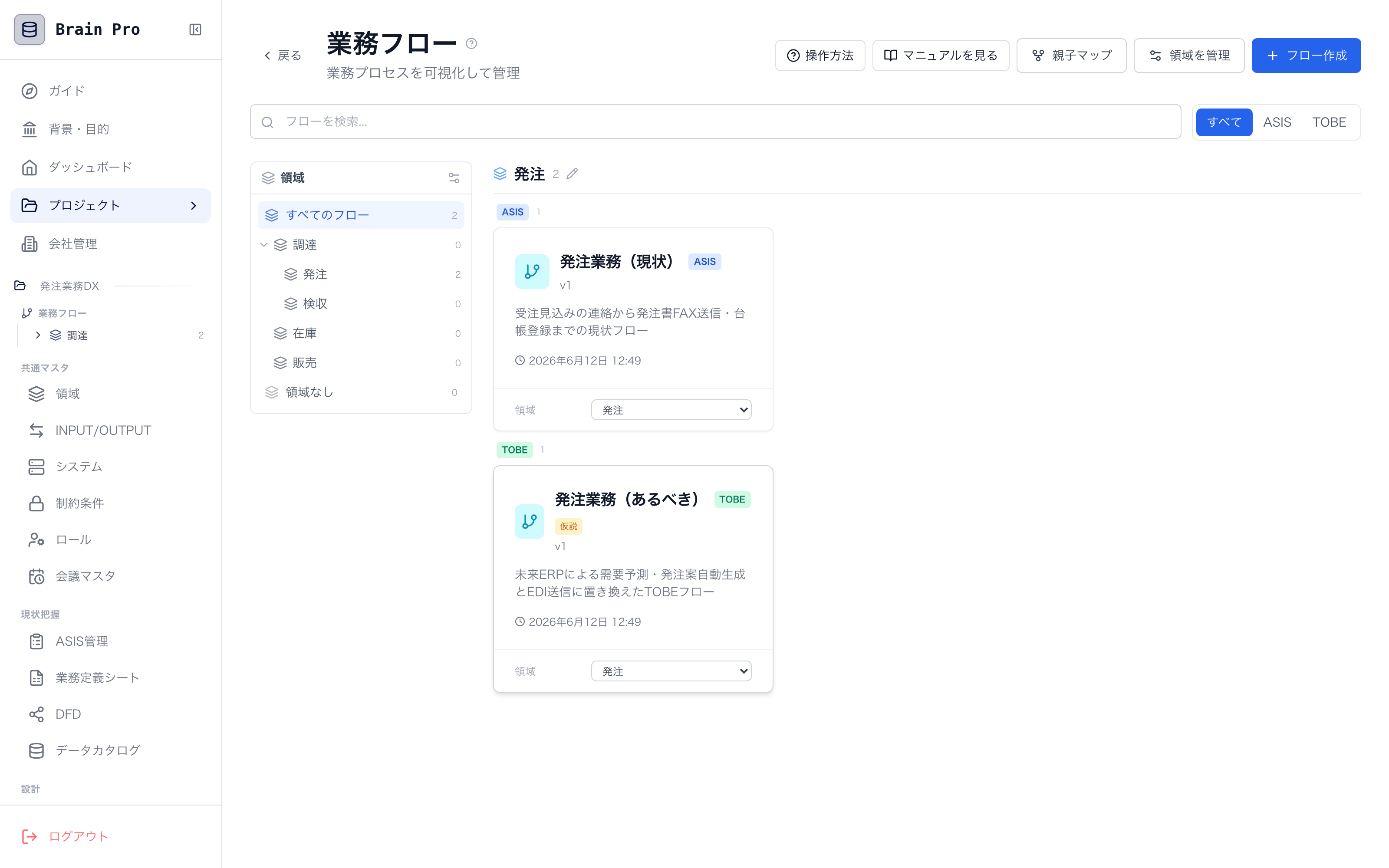
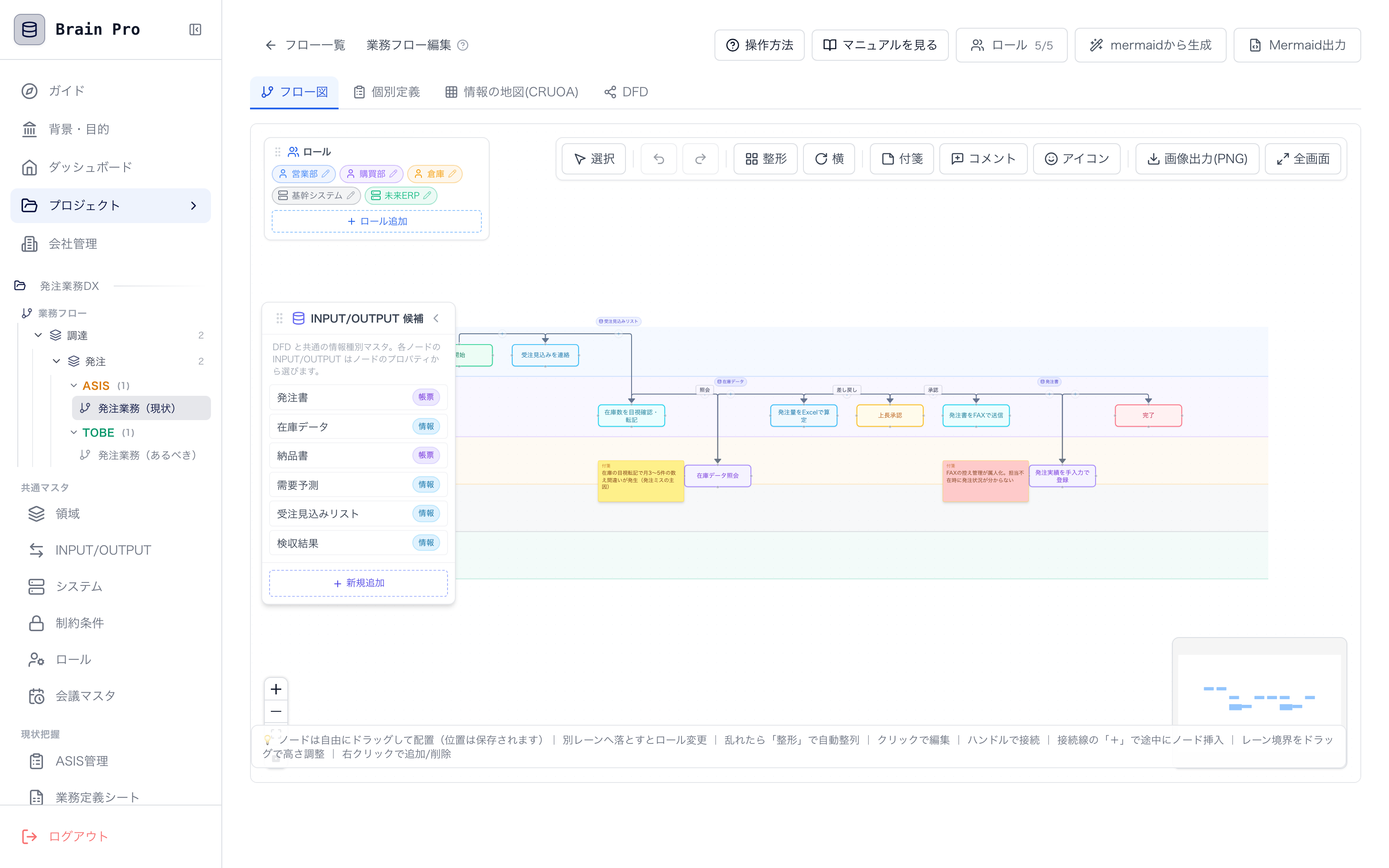
Map AS-IS and TO-BE business workflows as easily as placing sticky notes on swim lanes. Cross-department flows and manual bottlenecks become visible at a glance.
- Draw quickly by dragging sticky notes across swim lanes
- Manage AS-IS / TO-BE as a pair and compare them
- "Tidy" the flow to auto-arrange the layout
WBS / GANTT
WBS / Gantt chart
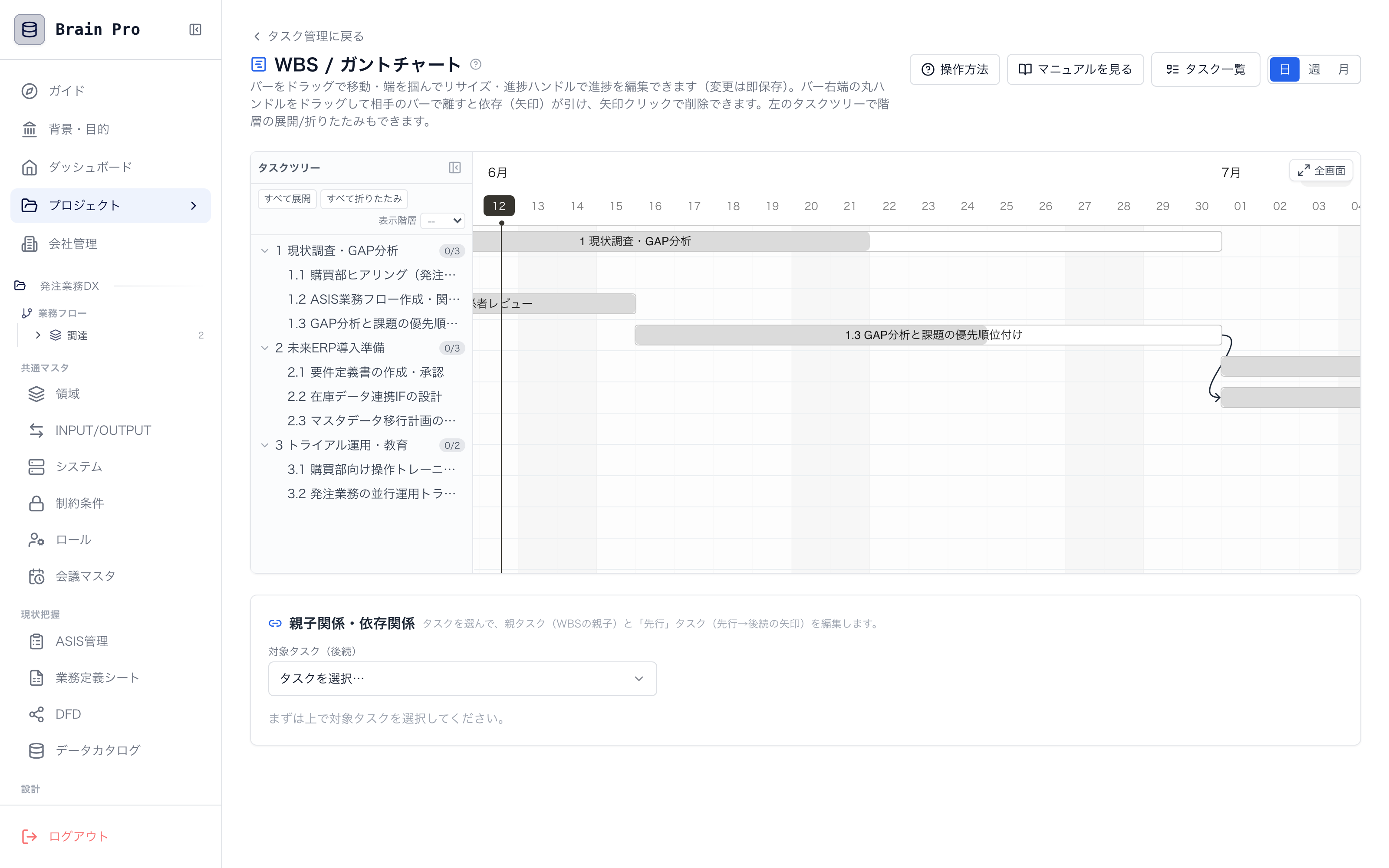
Set task dependencies just by dragging one bar to another. Parent and child tasks follow automatically, freeing you from re-building Excel sheets every time the plan changes.
- Edit dependency arrows directly with the mouse
- Parent tasks automatically follow their child tasks' durations
- See progress by phase and owner on a single screen
ISSUE TREE
Issue tree
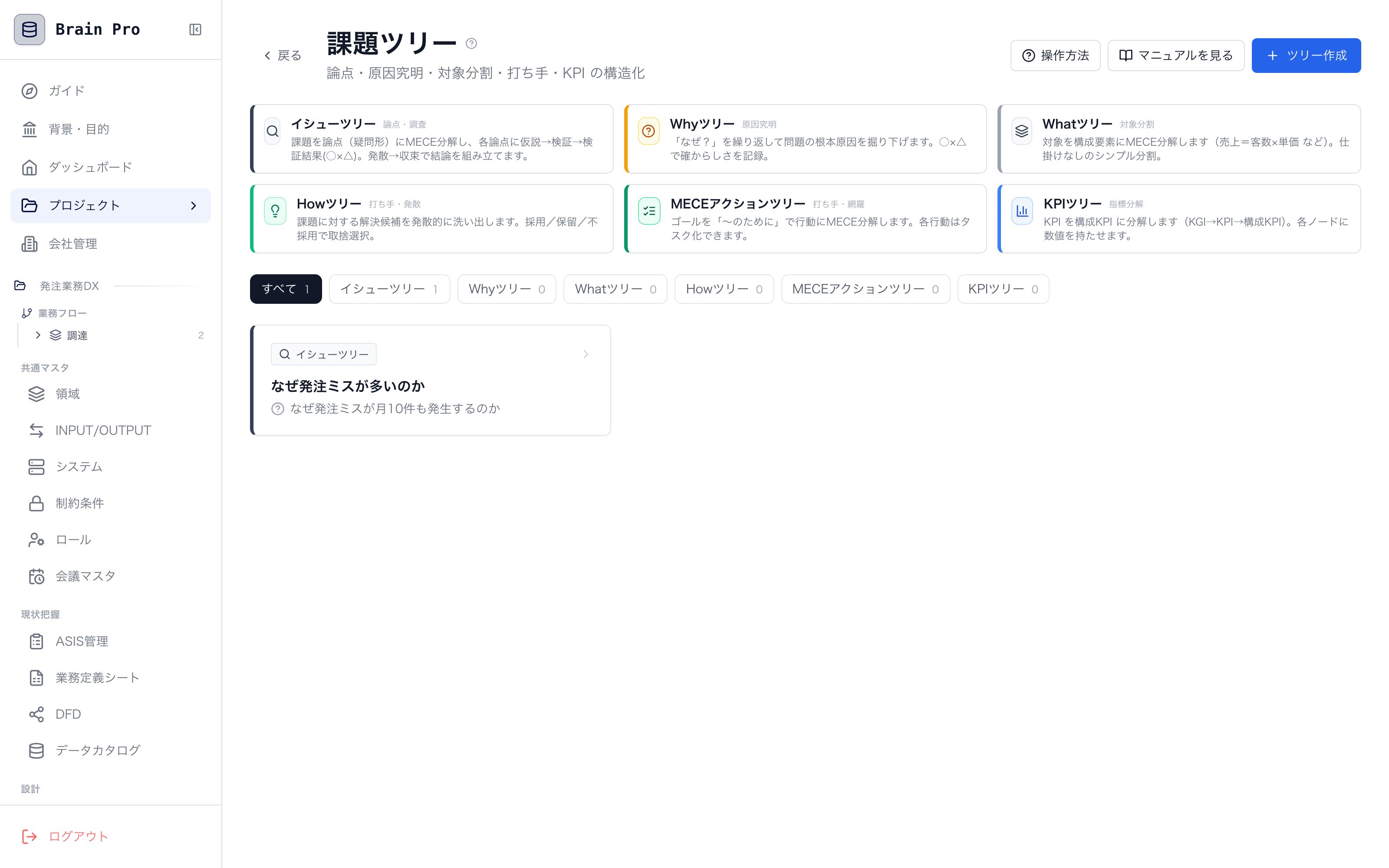
Manage issues as a tree structure following the question → hypothesis → verification → action flow. You can always trace "why we're doing this," so actions never become ad hoc.
- Break questions down MECE and keep the structure
- Record verification status and conclusions per hypothesis
- Actions connect straight to tasks / WBS
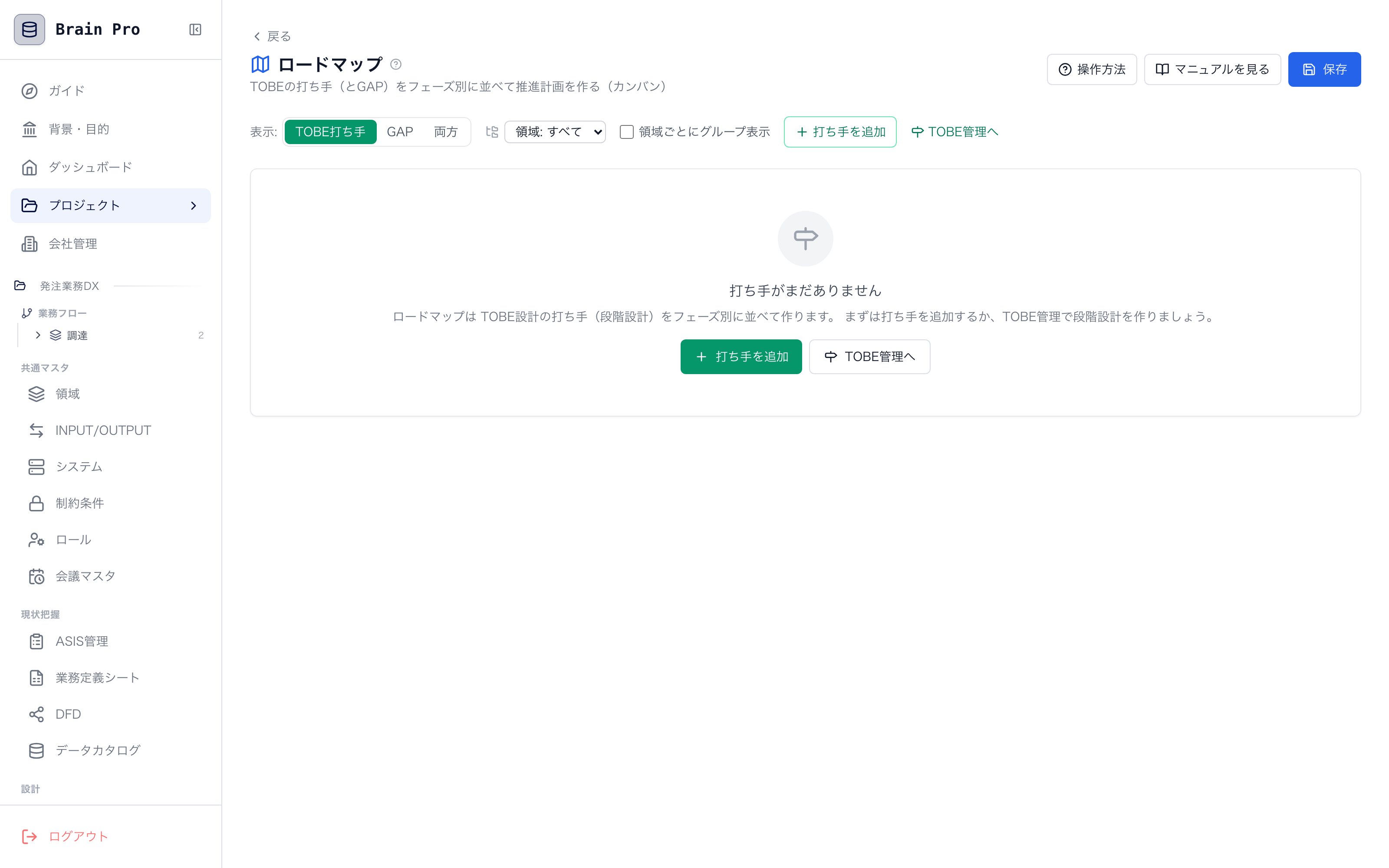
ROADMAP
Roadmap
Draw a roadmap that shows the order in which you'll close the GAP with TO-BE, editing phases freely. Your explanation deck for management stays a single, always-current page.
- Phase plans linked to TO-BE / GAP
- Freely add, split, and reorder phases
- A shared screen for agreeing on "the order that works" with stakeholders
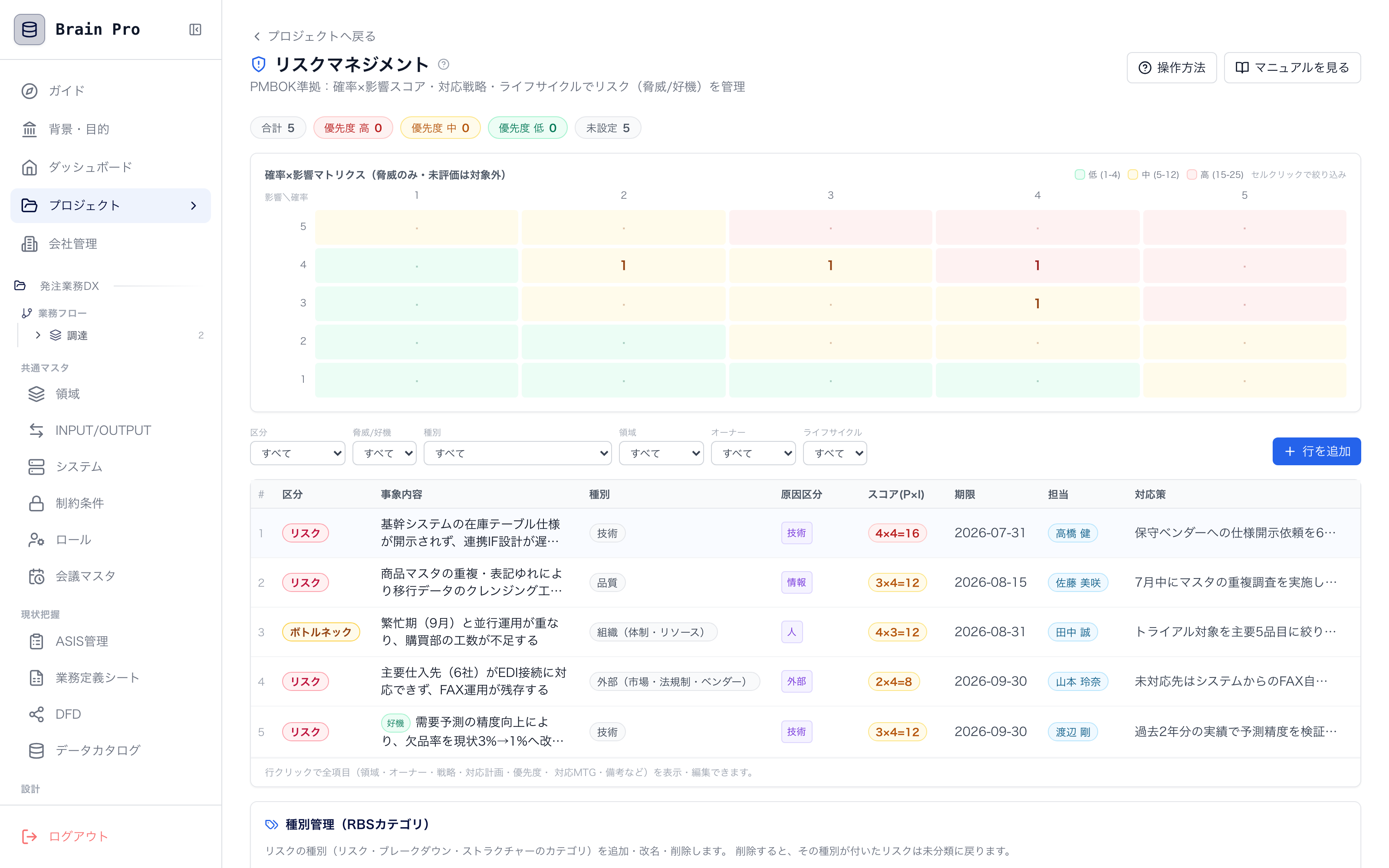
RISK MANAGEMENT
Risk management
Assess and manage risks with a PMBOK-aligned probability × impact (P×I) heatmap. Eliminate the "I was worried about it, but no one wrote it down" problem.
- Visualize priority with a P×I heatmap
- Record response strategy (avoid, transfer, mitigate, accept)
- Cross-link with issues and tasks for tracking
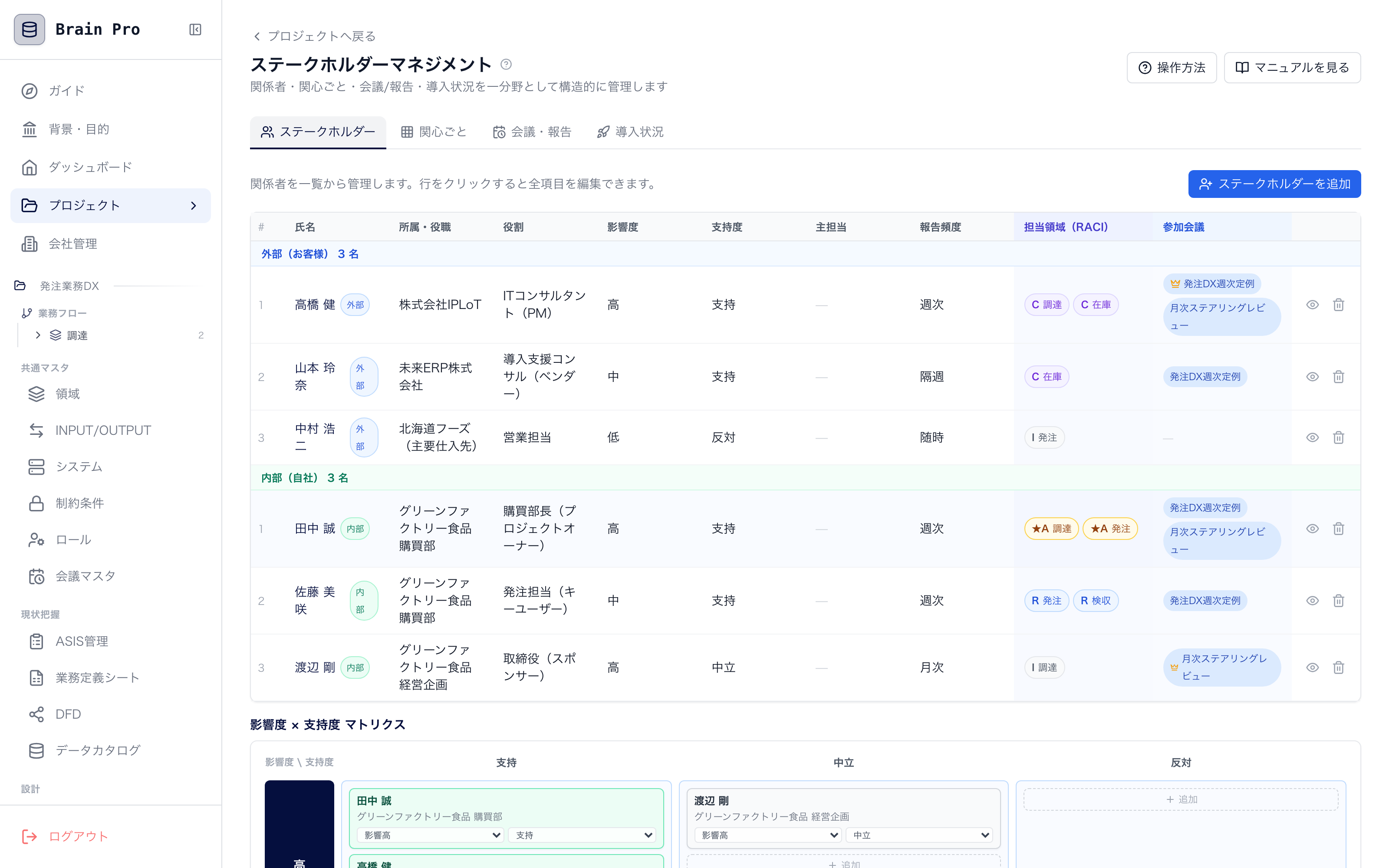
STAKEHOLDER
Stakeholders / RACI / adoption status
Who decides, who acts, who gets reported to. Manage stakeholder interests, RACI, and on-site adoption status in one view, and keep "people problems" from stalling the project.
- Organize each stakeholder's interests and influence
- Clarify roles and responsibilities with RACI
- Meetings, reporting cycles, and adoption status on the same screen
* The screens shown are from a product in development. The actual UI may change.
─ WORKS WITH IPRO
Brain Pro keeps the AI's "mind" on file.
The always-on AI consultant "IPRO-kun" reads and writes the project data in Brain Pro — flows, GAP, issues, tasks — directly. Not a "throwaway AI" that loses context every conversation, but an AI that holds the project's memory.
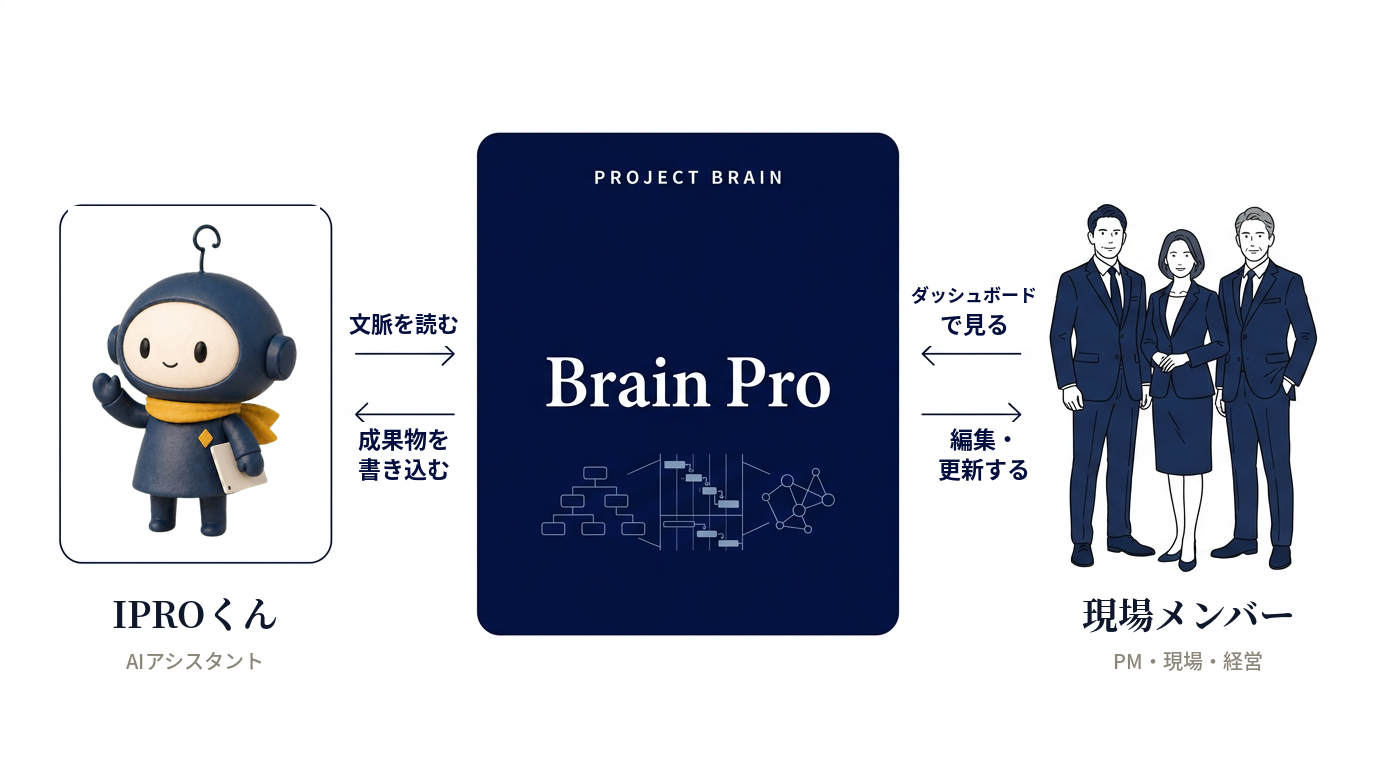
The screen people see and the memory the AI uses are the same thing.
No need to re-explain every conversation — the AI's suggestions and people's decisions accumulate in the same "brain"
AI never loses the context
IPRO-kun reads the flows, GAP, issues, and tasks in Brain Pro directly to hold the conversation. There's no need to re-explain "where we left off last time" from scratch.
AI's output accumulates
The business workflows and issue breakdowns that IPRO-kun draws aren't lost in the chat stream — they're written into Brain Pro as structured data and become an asset.
People and AI see the same facts
The dashboard people see and the long-term memory the AI references are one and the same. So "what the AI says" and "what the field believes" never diverge.

"AI that gets hands-on" and "a system that holds the brain" work best as a set.
IPRO-kun works on standby across Slack, Teams, and meetings, while Brain Pro stores its output as structure. Combine them and the AI's suggestions never wash away — you get "DX that lasts."
─ METHODOLOGY
The methodology is built in, so you never get lost
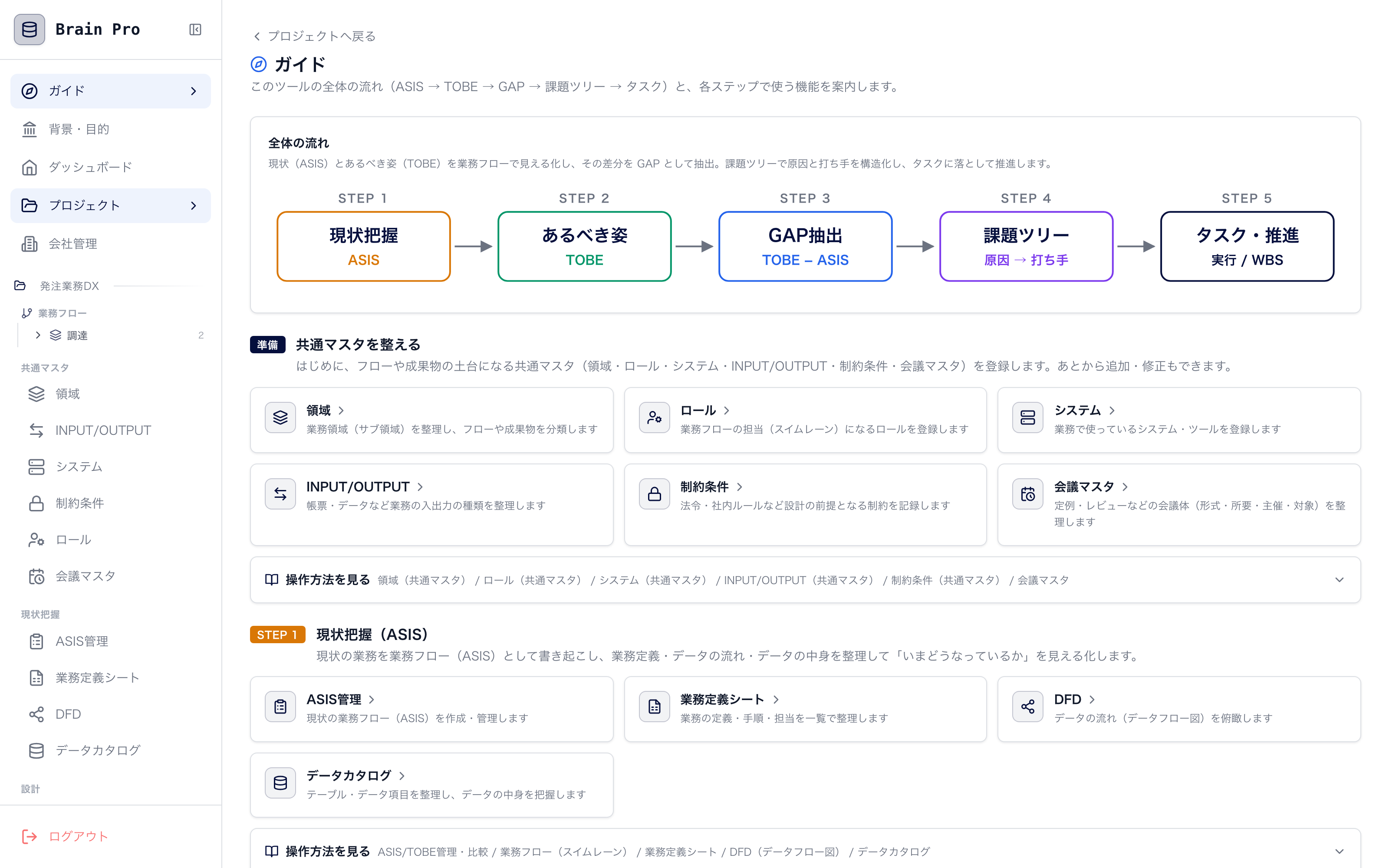
Brain Pro has the methodology IPLoT actually uses in the field — AS-IS → TO-BE → GAP → issue tree → tasks — built right in. Just follow the overall guide, and your project takes a consistent "shape."
AS-IS
Visualize the current business workflow
TO-BE
Draw the business workflow as it should be
GAP
Identify the gap from the current state
Issue tree
Break down into question → hypothesis → verification → action
Tasks
Translate into WBS, risks, and team structure
IPLoT METHOD
From finding the problem to running it—one continuous flow.
While other firms take on just “development” or just “maintenance,” IPLoT delivers all three as one: (1) problem discovery & consulting, (2) development powered by generative AI, and (3) post-launch operations. The map below shows where each of our services sits across these three pillars.
Three parts, one offering: Discover → Build → Operate
Problem discovery & consulting
Before “what to build,” we ask “what is the real problem.” A standardized method distilled from our 36 in-house courses structures the issues on the ground.
Development
We make the most of generative AI to go from requirements to implementation fast and at lower cost.
Operations & maintenance
We don’t just ship and leave. We keep watching the live system through its operation logs and keep improving it.
Every phase does not have to be ours. We agree the split of responsibilities—and how records are shared—with you and your existing vendors, and keep the information connected.
How we differ from a typical dev firm
| Aspect | A typical dev firm | IPLoT |
|---|---|---|
| Entry point | Builds what it’s told (spec-first) | Starts from problem discovery & consulting |
| Consulting | Relies on the individual’s experience | Repeatable via a standard method (36 courses) + Brain Pro |
| Development | Cost piles up with man-hours | Compresses build cost with generative AI |
| Operations | Passive—fixes things once they break | Menta-kun watches and proposes improvements proactively |
| Delivery | Split by phase, with gaps at the seams | One team, from discovery through operations |
“A typical dev firm” describes what commonly happens when phases are split between parties; it does not refer to any specific company.